

Midyear Optometry Practice Audit: 5 Checks to Reduce After-Hours Work and Claim Rework

- Remove the current class from the content27_link item as Webflows native current state will automatically be applied.
- To add interactions which automatically expand and collapse sections in the table of contents select the content27_h-trigger element, add an element trigger and select Mouse click (tap)
- For the 1st click select the custom animation Content 27 table of contents [Expand] and for the 2nd click select the custom animation Content 27 table of contents [Collapse].
- In the Trigger Settings, deselect all checkboxes other than Desktop and above. This disables the interaction on tablet and below to prevent bugs when scrolling.
By midyear, the small workflow issues in an optometry practice are usually easier to spot.
Providers may be finishing charts after hours. Staff may be correcting the same patient or insurance information again and again. Billing teams may be reworking claims that could have been cleaner from the start.
A midyear practice audit helps you find where work is backing up before the second half of the year gets busier. The goal is not to overhaul everything at once. It is to identify the workflow gaps that create the most extra work, then fix the ones that have the biggest impact on time, revenue, and staff morale.
Here are five checks to run this month.
Why a Midyear Practice Audit Matters
Even strong practices develop operational friction over time.
A process that worked well in January may feel strained by July. Staff roles may have shifted. Insurance workflows may have changed. Patient volume may have grown. Providers may be carrying more documentation into the evening than they realize.
A midyear audit gives your team a practical way to pause and ask:
- Where are we losing time?
- Where are we repeating work?
- Where are claims getting delayed?
- Where are staff relying on workarounds?
- Where do we need better visibility?
Small fixes now can help the second half of the year run smoother.
Small workflow issues get more expensive in the second half of the year
When a workflow problem is small, it is easy to tolerate. A missing insurance field. A provider finishing “just a few” charts after dinner. A front desk workaround that only one person understands.
But those issues add up.
They can lead to:
- More after-hours documentation
- More claim corrections
- Slower payments
- Longer staff onboarding
- Inconsistent patient follow-up
- More pressure on experienced team members
The earlier you find these issues, the easier they are to fix.
What this audit is designed to uncover
This audit focuses on five areas that often create hidden operational drag:
- Provider documentation
- Front-end insurance and patient data
- Staff workarounds
- Patient follow-up
- Reporting and visibility
Each check is designed to help your practice find one or two practical improvements, not create a long list of unrealistic projects.
1. Check Where Provider Work Is Spilling Into After-Hours Time
After-hours work is one of the clearest signs that a workflow needs attention.
If providers are regularly finishing charts, reviewing notes, or catching up on documentation after the last patient leaves, the practice may have a documentation bottleneck.
What to review
Look at where provider work is building up during and after the clinic day.
Review:
- Average time to close charts
- Number of unsigned or incomplete exams at the end of the day
- Visit types that take the longest to document
- Documentation steps that require duplicate entry
- Handoffs between technicians and providers
- Templates that no longer match how providers practice
What it may reveal
This check may show that after-hours work is not caused by one issue. It may be a combination of small problems.
For example:
- Technicians may not be capturing information consistently.
- Providers may be documenting too much manually.
- Templates may be outdated.
- Clinical workflows may vary too much by provider.
- Billing may be waiting on documentation before claims can move forward.
That extra work does not just affect the provider’s evening. It can also slow billing, delay follow-up, and increase burnout.
What to fix first
Start with the visit types that create the most documentation drag.
Ask:
- Which exams are most likely to stay open at the end of the day?
- Where do providers repeat the same documentation steps?
- Which handoffs cause the most clarification?
- Which templates need to be simplified or updated?
A focused improvement in one high-volume workflow can create more relief than trying to fix every documentation issue at once.
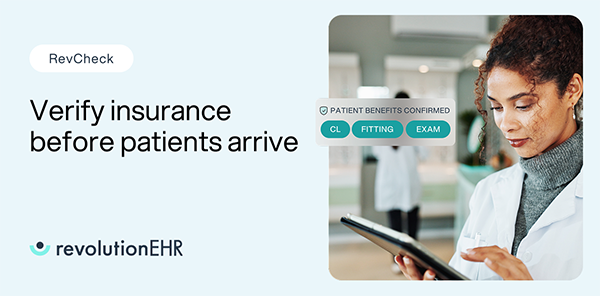
2. Check Which Front-End Errors Are Creating Claim Rework
Claim rework often starts before the claim is submitted.
Missing insurance details, eligibility issues, incorrect patient data, and authorization gaps can all create extra work for the billing team later. The more your team catches up front, the less cleanup happens after the visit.
What to review
Look for the front-end issues most often tied to claim corrections or delays.
Review:
- Eligibility verification steps
- Missing or outdated insurance information
- Authorization requirements
- Patient demographic errors
- Rejected claim patterns
- Denial reasons tied to registration or intake
- Manual corrections before claim submission
What it may reveal
This check may show that billing issues are actually workflow issues.
For example:
- Staff may not have a consistent process for verifying benefits.
- Insurance information may not be updated early enough.
- Authorization requirements may not be visible to the right team member.
- Billing staff may be correcting the same preventable errors every week.
When front-end workflows are inconsistent, billing teams inherit the cleanup.
What to fix first
Identify the top two issues creating the most rework.
Then tighten the workflow around those issues.
That may mean:
- Updating check-in steps
- Clarifying who verifies eligibility
- Adding a required review before the visit
- Training staff on common payer-specific issues
- Creating a process for catching missing data before checkout
The goal is simple: move cleanup earlier in the visit cycle so claims can move forward with fewer corrections.

3. Check Where Staff Are Relying on Workarounds
Workarounds are often a sign that your team is trying to solve a real problem with the tools they have.
A workaround may feel harmless at first. A spreadsheet. A sticky note. A side document. A manual tracker. A staff member’s personal shortcut.
But over time, workarounds create risk. They make processes harder to train, harder to measure, and harder to repeat when someone is out.
What to review
Look for places where staff are doing work outside the normal system or process.
Review:
- Spreadsheets used to track daily tasks
- Sticky notes or paper reminders
- Duplicate entry between systems
- Manual lists for patient follow-up
- Billing notes stored outside the main workflow
- Tasks only one team member knows how to complete
- Steps that new employees struggle to learn
What it may reveal
This check may show that your team is carrying too much process knowledge in their heads.
That creates friction when:
- A new employee starts
- A key staff member is out
- The practice gets busier
- A process changes
- Leadership needs to understand why work is delayed
Workarounds also make it harder to see what is actually happening across the practice.
What to fix first
Choose one high-volume workaround and bring it back into a standard workflow.
Start with the process that creates the most daily friction.
Ask:
- Why did this workaround start?
- What problem is it solving?
- Can the process be simplified?
- Can the task be handled inside the system?
- Does the team need clearer ownership or training?
Do not just remove the workaround. Replace it with a better process that staff can realistically follow.
4. Check Whether Patient Follow-Up Is Happening Consistently
Patient follow-up affects revenue, patient experience, and staff workload.
When follow-up is inconsistent, teams spend more time reacting. Missed recalls, no-shows, open orders, and unpaid balances can all become bigger problems when ownership is unclear.
What to review
Look at whether key follow-up steps are happening reliably.
Review:
- Recall completion
- Appointment reminders
- No-show follow-up
- Cancellation follow-up
- Open orders
- Contact lens or optical follow-up
- Outstanding patient balances
- Unscheduled next appointments
What it may reveal
This check may show that follow-up is happening, but not consistently.
For example:
- One staff member may be managing recall differently than another.
- No-show follow-up may depend on how busy the front desk is.
- Patient balances may not be addressed close enough to the visit.
- Open orders may not have clear ownership.
- Patients may be receiving inconsistent communication.
The result is more missed opportunities and more manual chasing later.
What to fix first
Choose one follow-up workflow that has a clear impact on patient flow or revenue.
Good starting points include:
- Recall
- No-shows
- Open orders
- Outstanding balances
Define:
- Who owns it
- When it happens
- What message is used
- How success is measured
- When the process gets reviewed
A consistent follow-up workflow can reduce staff stress and help more patients take the next step.
5. Check Whether Your Metrics Show Where Work Is Slipping
You cannot fix what you cannot see.
Many practices have a general sense of what is going wrong, but not enough visibility to act quickly. A midyear audit should help you identify which metrics actually show where time, revenue, or patient flow is getting stuck.
What to review
Start with a short list of metrics tied to operational performance.
Review:
- Days in A/R
- Claim rejection trends
- Denial trends
- Appointment volume
- No-shows and cancellations
- Recall performance
- Chart completion
- Task backlog
- Patient balances
- Staff onboarding time
For multi-location groups, review these by location, provider, or region when possible.
What it may reveal
This check may show that the practice is relying too much on anecdotal feedback.
For example:
- Staff may feel busy, but the data shows where work is actually backing up.
- A billing issue may be concentrated in one payer, provider, or workflow.
- One location may be following a process differently than the rest.
- A provider’s chart backlog may point to a documentation or handoff issue.
- Patient follow-up may look active, but recall completion may be slipping.
The right metrics help turn frustration into a fixable problem.
What to fix first
Do not try to build a massive dashboard.
Start with a few numbers that show whether the practice is improving.
A simple monthly review could include:
- Claims that need rework
- Days in A/R
- Open charts
- No-show rate
- Recall completion
- Patient balances
- Top workflow bottleneck from staff feedback
Keep the review short and actionable. The point is not reporting for the sake of reporting. The point is to spot issues early enough to do something about them.


How to Turn Audit Findings Into a Second-Half Action Plan
Once you complete the five checks, you will likely have more than one issue to address.
That is expected.
The next step is to prioritize. Sort your findings into three categories.
Fix this month
These are issues creating daily rework, delayed revenue, or immediate staff frustration.
Examples:
- Repeated eligibility errors
- A growing chart backlog
- A preventable denial pattern
- A no-show process that is not being followed
- A workaround that is causing confusion
Choose one or two items. Assign ownership. Set a short deadline.
Fix this quarter
These are important workflow improvements that need more planning.
Examples:
- Updating templates
- Retraining staff
- Redesigning patient follow-up
- Reviewing billing workflows
- Improving reporting habits
- Standardizing processes across locations
These projects may require vendor support, leadership review, or a phased rollout.
Watch monthly
These are metrics or issues that are not urgent yet but should stay visible.
Examples:
- Small changes in denial trends
- Rising patient balances
- Slight increases in no-shows
- Longer chart completion times
- Staff feedback about new friction points
Watching these monthly helps you catch problems before they become bigger operational issues.
Make the Second Half Smoother With Connected Practice Workflows
A smoother second half starts with better visibility into the work happening every day.
When clinical, billing, scheduling, patient communication, and reporting workflows are disconnected, small issues are harder to see and harder to fix. Staff spend more time tracking down information. Providers carry more work after hours. Billing teams spend more time cleaning up preventable issues.
RevolutionEHR helps optometry practices connect more of that work in one platform, so teams can reduce duplicate entry, spot workflow gaps sooner, and keep the day moving with less friction.
That can help your practice:
- Reduce after-hours documentation pressure
- Catch front-end errors earlier
- Limit avoidable claim rework
- Standardize staff workflows
- Improve patient follow-up
- See where work is slipping before it becomes a bigger problem
The goal is not just to get through the second half of the year. It is to make the work easier to manage, easier to measure, and easier for your team to repeat.
Ready to see where connected workflows can help your practice run more efficiently? Schedule a RevolutionEHR demo.
FAQs

Backed by deep expertise in optometry and a commitment to the success of eye care practices, RevolutionEHR offers insights and perspectives designed to help providers streamline operations, enhance patient care, and thrive in a changing healthcare landscape.