

How to Master Optometry Billing Modifiers and Get Paid Faster

- Remove the current class from the content27_link item as Webflows native current state will automatically be applied.
- To add interactions which automatically expand and collapse sections in the table of contents select the content27_h-trigger element, add an element trigger and select Mouse click (tap)
- For the 1st click select the custom animation Content 27 table of contents [Expand] and for the 2nd click select the custom animation Content 27 table of contents [Collapse].
- In the Trigger Settings, deselect all checkboxes other than Desktop and above. This disables the interaction on tablet and below to prevent bugs when scrolling.
Are you spending too much time dealing with denied claims? You're not alone. Many optometrists struggle with billing modifier codes, but using them correctly is a key step to reducing A/R in optometry (often making the difference between quick payment and frustrating delays).
Your Guide to Optometry Billing Modifiers (24, 25, 59, 50, RT/LT, E1–E4)
This guide walks through the most important optometry billing modifiers you use every day.
Why Billing Modifiers Matter for Your Practice
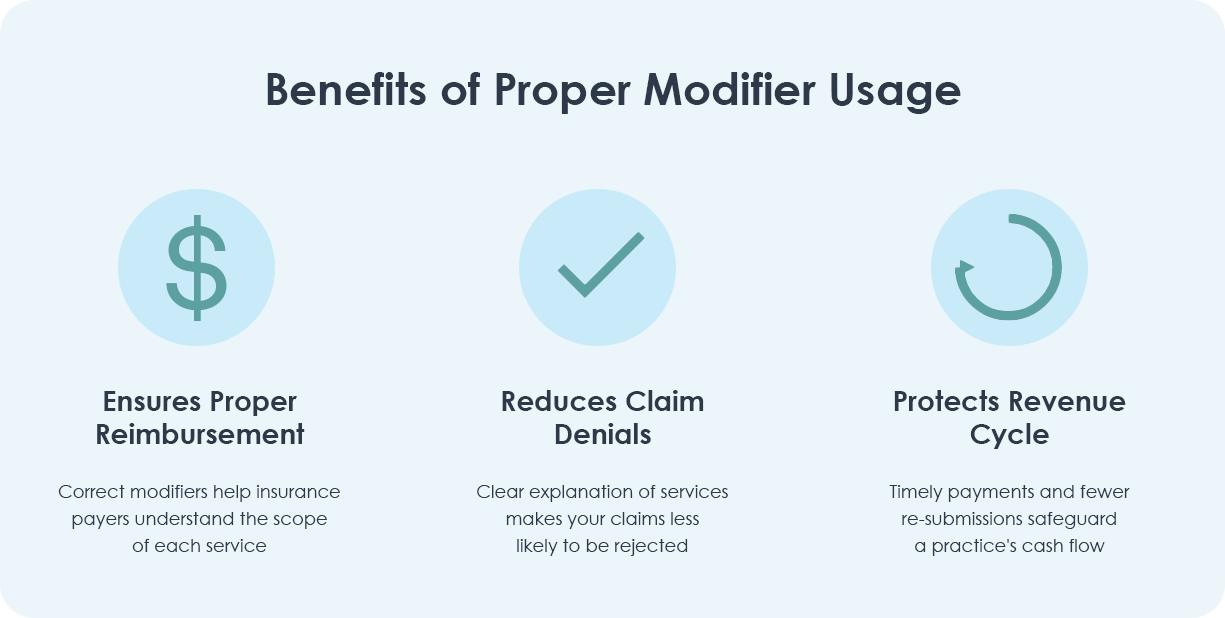
- Quick payments. When you use modifiers correctly, insurance companies understand your claims immediately, leading to faster reimbursement.
- Fewer denials. Clear, properly modified claims sail through the approval process, reducing frustrating rejections.
- Better cash flow. Getting paid correctly the first time keeps your revenue flowing smoothly.
Modifier 24: Unrelated Evaluation and Management Services
Think of modifier 24 as your "additional care" identifier. Use it when you provide an evaluation and management (E/M) service that is unrelated to the primary procedure performed on the same day. For example, conducting a comprehensive eye exam for a patient who is also receiving treatment for a separate, unrelated retinal procedure.
- When to use it. Add modifier 24 when an E/M service is necessary and distinct from the procedure or service being performed. This typically occurs when the patient has a separate issue that requires attention during the same visit as a scheduled procedure.
- Documentation essentials. Clearly differentiate the unrelated E/M service from the primary procedure in your notes. Document the separate diagnosis, the distinct nature of the visit, and how the E/M service is not related to the procedure. Ensure that both the E/M and procedure codes are accurately represented with appropriate supporting details.
- Key tip. Always verify that the E/M service is genuinely unrelated to the primary procedure to justify the use of modifier 24. Improper use can lead to claim denials or audits. Additionally, check payer-specific guidelines, as some insurers have strict criteria for accepting modifier 24.
Modifier 25: When Patients Need Extra Care
Think of modifier 25 as your "above and beyond" code. Use it when you provide additional significant care beyond what was planned. For example, a patient comes in for a routine eye exam but also needs treatment for a sudden corneal abrasion.
- When to use it. Add modifier 25 whenever you perform separate, significant evaluation services alongside other procedures on the same day.
- Documentation essentials. Record specific details about each service, including distinct complaints, exam findings, and relevant CPT codes.
- Key tip. Different insurance companies have varying requirements for modifier 25. Check your most common payers' guidelines and keep them handy.
Modifier 59: Separating Distinct Services
Think of modifier 59 as your "this is different" flag. It tells insurance companies that you performed separate, distinct procedures during the same visit. For example, when you need to perform different procedures on separate areas of the same eye.
- Clear communication. Modifier 59 tells payers that each procedure stands on its own and deserves separate payment.
- Documentation essentials. Your notes need to clearly show why each procedure was necessary and distinct. Think "show, don't tell."
- Watch out. Using modifier 59 without strong documentation can trigger audits. When in doubt, document more detail than you think you need.

RT and LT Modifiers: Your Left-Right Guide
Despite seeming straightforward, RT (right) and LT (left) modifiers can create unexpected billing challenges.
Here are the problems that trip up many practices:
- Documentation consistency. Your clinical notes, procedure codes, and claim forms must all match exactly. One mismatched notation can trigger a denial.
- Multiple procedures. When performing several procedures on the same eye, each line item needs the correct RT or LT modifier. Missing even one can delay your whole claim.
- Insurance preferences. Different payers have varying rules about RT/LT usage, especially when combined with other modifiers like modifier 50 for bilateral procedures.
- Common system mistakes. Some EHR systems don't automatically carry laterality through all documentation, creating inconsistencies between clinical notes and billing.
Modifier 50: When Both Eyes Need Care
Use modifier 50 when you perform the same procedure on both eyes. It may seem simple, but payer requirements can vary significantly.
- Common uses. Tests like pachymetry often qualify for bilateral coding when performed on both eyes.
- Know your payers. Some want one line with modifier 50, others prefer separate RT and LT lines. Keep a quick reference guide for your most common insurers.
- Documentation tip. Always note why bilateral treatment was necessary. This prevents questions later.

Modifier E1: Upper Left, Eyelid
Think of Modifier E1 as your "GPS location" tag. Use it to specify anatomical precision. This modifier tells the payer exactly where a procedure was performed to distinguish it from procedures performed on other eyelids during the same or subsequent visits.
- When to use it: Add modifier E1 to CPT codes for surgical procedures performed on the eyelids (typically the 67xxx series) when the procedure is performed on the Upper Left lid. Note: The other eyelid modifiers are E2 (Lower Left), E3 (Upper Right), and E4 (Lower Right).
- Documentation essentials: Your operative report or procedure note must clearly state the specific anatomical location. The header of your note should match the modifier billed (e.g., "Procedure: Excision of lesion, Upper Left Eyelid").
- Key tip: This modifier is crucial when treating multiple eyelids in the same session or treating a different eyelid during a postoperative period. It proves to the insurer that you are treating a separate anatomical site, preventing the claim from being denied as a duplicate service.
Modifier E2: Lower Left, Eyelid
The official definition for Modifier E2 is Lower Left, Eyelid. It is used to indicate that a procedure was performed on the lower portion of the left eye's lid.
- When to use it: Apply modifier E2 to procedures, such as minor repairs or excisions, that are specifically performed on the patient’s lower left eyelid.
- Documentation essentials: Notes must confirm that the work was done only on the lower quadrant of the left eyelid.
Modifier E3: Upper Right, Eyelid
The official definition for Modifier E3 is Upper Right, Eyelid. It is used to specify that a procedure was performed on the upper portion of the right eye's lid.
- When to use it: Apply modifier E3 to procedures, such as skin tag removals or minor lesion excisions, that are specifically performed on the patient’s upper right eyelid.
- Documentation essentials: Notes must confirm that the work was done only on the upper quadrant of the right eyelid.
Modifier E4: Lower Right, Eyelid
The official definition for Modifier E4 is Lower Right, Eyelid. It is used to indicate that a procedure was performed on the lower portion of the right eye's lid.
- When to use it: Apply modifier E4 to procedures, such as simple repairs or biopsies, that are specifically performed on the patient’s lower right eyelid.
- Documentation essentials: Notes must confirm that the work was done only on the lower quadrant of the right eyelid.

Bonus: For a handy visual aid to keep near your billing station, download our handy CPT Modifier Cheat Sheet for Optometrists.
4 Common Modifier Mistakes
- Confusing modifiers 25 and 59. Remember: 25 is for separate exams, 59 is for separate procedures.
- Missing RT/LT codes. Make laterality notation automatic in your workflow.
- Incorrect bilateral coding. Double-check your common payers' preferred format for modifier 50.
- Missing details. Rushed documentation often leads to denied claims. Take the extra minute to record complete service details.
Deciding between modifiers like 25, 59, and bilateral options requires careful attention. Let's break down exactly when to use each one.
How to Choose Between Common Optometry Modifiers
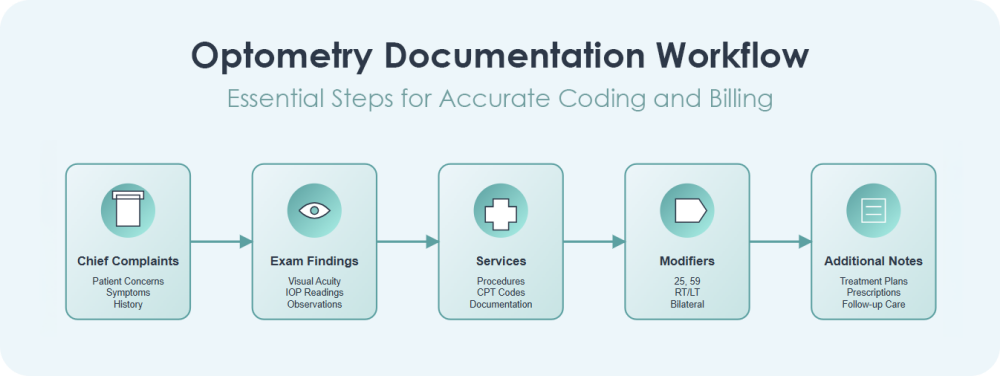
Create a Bulletproof Documentation Process
Strong documentation is your best defense against denied claims. Here's how to make it foolproof:
- Create clear records. Document each complaint, test, treatment, and outcome in detail.
- Use system alerts. Take advantage of EHR features that flag modifier conflicts before claims go out.
- Stay informed. Regular checks of payer updates keep you ahead of requirement changes.
For answers to the questions we hear most frequently about modifiers, please see our FAQ below.
How RevolutionEHR Simplifies Modifier Management
RevolutionEHR helps you:
- Track modifiers automatically. Our integrated platform manages office visits, procedure codes, and laterality modifiers in one place.
- Catch errors early. Built-in alerts flag potential modifier conflicts before claims go out.
- Stay compliant. Our system helps align your documentation with payer requirements and coding rules.
Ready to streamline your modifier usage and get paid faster? RevolutionEHR’s integrated system makes proper modifier coding simple and automatic. Schedule a demo today to see how we can help your practice reduce denied claims and speed up payments.



Want to see how RevolutionEHR can streamline your coding workflow? Schedule a demo today and discover how much time you could save on billing.
FAQs
Why do billing modifiers matter so much?
How do I know when to use modifier 25?
What’s the difference between modifiers 25 and 59?
Why can modifiers RT and LT be tricky?
When should I use modifier 50 for both eyes?

Backed by deep expertise in optometry and a commitment to the success of eye care practices, RevolutionEHR offers insights and perspectives designed to help providers streamline operations, enhance patient care, and thrive in a changing healthcare landscape.