

Optometry EHR Features That Reduce Charting, Billing, and Scheduling Work

- Remove the current class from the content27_link item as Webflows native current state will automatically be applied.
- To add interactions which automatically expand and collapse sections in the table of contents select the content27_h-trigger element, add an element trigger and select Mouse click (tap)
- For the 1st click select the custom animation Content 27 table of contents [Expand] and for the 2nd click select the custom animation Content 27 table of contents [Collapse].
- In the Trigger Settings, deselect all checkboxes other than Desktop and above. This disables the interaction on tablet and below to prevent bugs when scrolling.
Updated 10/09/2026
What should an optometry EHR actually help my practice do every day?
The right optometry EHR should do more than store charts. It should remove work from the schedule, the front desk, the exam lane, and the billing queue.
If your current system still forces staff to...
- re-enter patient details
- chase insurance answers after the patient arrives
- fix claim issues late in the process
- post payments manually
- finish charting after clinic hours
... then your EHR isn't helping enough.
Why it matters: Small workflow problems do not stay small for long.
A few extra minutes at check-in, a couple of denied claims, or one more unfinished note at the end of the day can turn into:
- longer wait times for patients
- more interruptions for front-desk staff
- slower payments
- more end-of-day cleanup
- less time focused on patient care
That's why the best optometry EHR features aren't just the ones that sound impressive in a demo. They help your practice move faster and with fewer handoffs in real life.
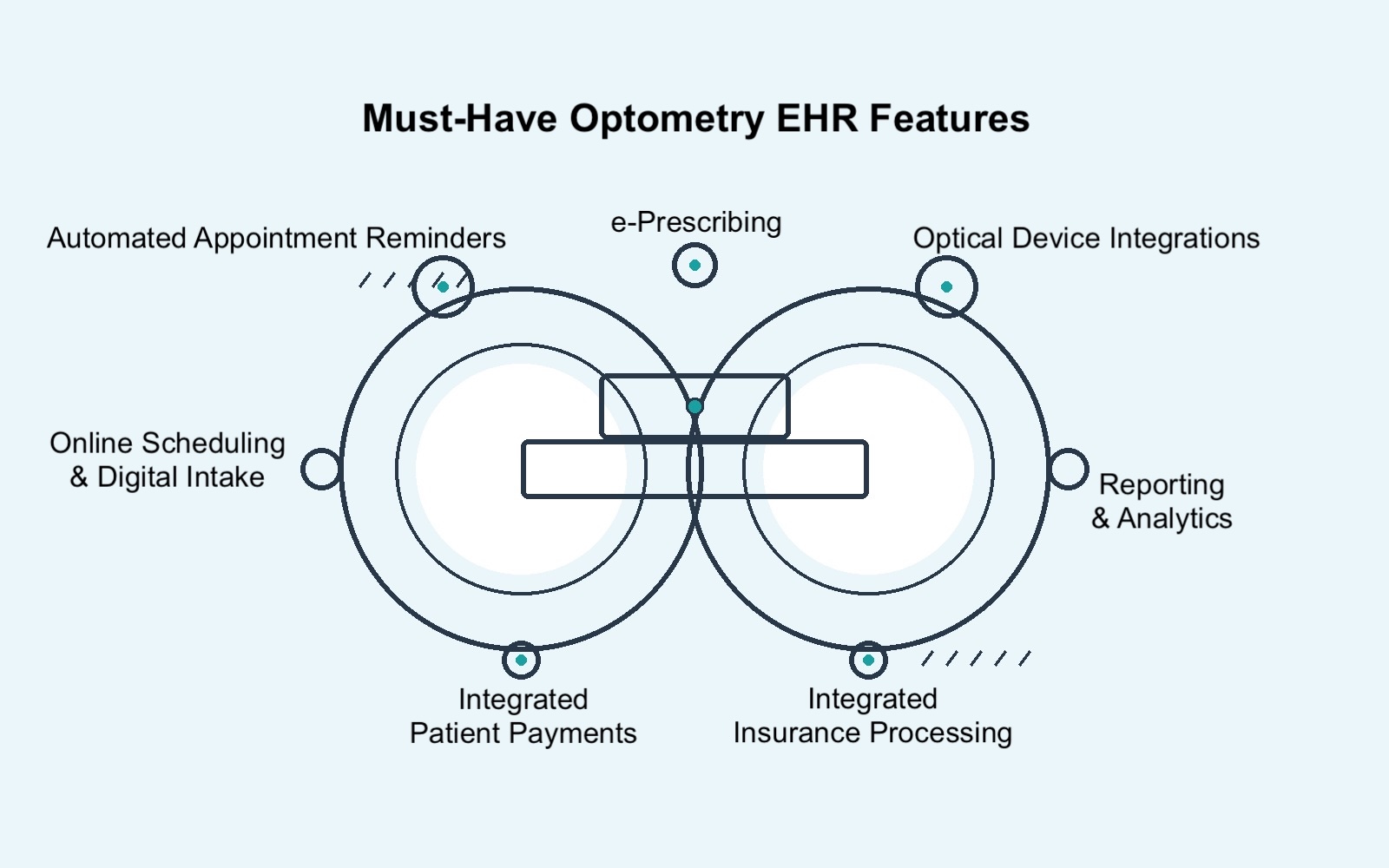
What a Good Optometry EHR Should Improve Every Day
Strong software should help your practice do four things well:
- Keep scheduling and check-in moving.
- Reduce billing rework and payment delays.
- Make patient information easier to access during the visit.
- Shorten documentation time without creating new risk.
If a feature doesn’t clearly improve one of those areas, it is probably not a high-value feature for an independent practice.
1. Shorten Check-in and Cut Front-desk Interruptions
Scheduling and intake are often where avoidable admin work starts.
When patients can book online, complete forms before the visit, and send demographic or insurance information in advance, staff spend less time collecting the basics and more time handling actual exceptions.
RevIntake from RevolutionEHR focuses on online scheduling, automated forms by visit type, provider, and location, and direct integration of form data into patient profiles.
What this should help your practice do:
- Cut down on phone time for routine booking
- Shorten check-in
- Reduce clipboard-based intake
- Gather cleaner information before the patient arrives
- Lower the chance for staff to type the same information twice
Practical benefits to expect:
- Fewer calls interrupting the front desk all day
- A few minutes saved at check-in for many visits
- Fewer “we still need your form” slowdowns
- Less scrambling when the waiting room gets busy
Look for intake and scheduling tools that can:
- Let patients book online from your website
- Send forms automatically before the visit
- Adjust forms by provider, appointment type, or location
- Push completed information into the patient record directly
- Help reduce no-shows with reminders and a smoother booking flow
What to ask in a demo
- Can forms change by appointment type or provider?
- Does patient-entered information go directly into the chart?
- How many manual steps still happen at check-in?
- What still has to be collected by staff on the day of the visit?
2. Catch Billing Problems Earlier So Claims Keep Moving
A billing workflow is only as strong as its earliest checkpoints.
If coverage issues, coding errors, or missing information do not surface until after the visit, your staff ends up fixing preventable problems when they should be moving claims forward.
What this should help your practice do:
- Identify insurance issues before check-in becomes a problem
- Catch claim errors before submission
- Reduce resubmissions and avoidable denials
- Shorten the gap between visit and payment
- Give billers fewer loose ends to chase
Practical benefits to expect:
- Fewer surprises at the front desk
- Less rework in the billing queue
- Fewer claims getting kicked back
- Faster movement from completed visit to submitted claim
RevClear reduces each claim transaction time by 8.5 minutes and assists practices in recovering up to 60% of denied claims, supporting an acceptance rate above 98%.
Look for billing features that support:
- Eligibility checks before or at booking
- Claim scrubbing before submission
- Real-time claim status tracking
- Simple denial review and resubmission
- Integrated payment posting instead of disconnected workflows
What to ask in a demo
- When does the system surface eligibility issues?
- Can staff see claim status without hunting through another portal?
- What gets flagged before submission?
- How easy is it to review, correct, and resubmit a claim?

3. Get Paid With Less Manual Posting and Reconciliation
Getting paid is only part of the job. Posting and reconciling those payments is where a lot of hidden admin work lives.
If your team can take a card quickly but still has to clean up ledger issues later, the workflow is still too manual.
What this should help your practice do:
- Speed up checkout
- Give patients more ways to pay
- Reduce manual posting
- Keep ledgers cleaner
- Make collections less dependent on staff follow-up
Practical benefits to expect:
- Fewer bottlenecks at the front desk
- Fewer calls to collect small balances
- Less end-of-day cleanup
- Less time matching payments to the right account
Look for payment tools that can:
- Accept tap, swipe, and wallet payments in-office
- Let patients pay online through the portal
- Store cards on file for repeat payments
- Post payments automatically to the patient record
- Reduce reconciliation work after payment is taken
What to ask in a demo
- Do payments post automatically to the ledger?
- Can patients pay online without calling the office?
- What still has to be reconciled by hand?
- How does the system handle refunds, partial payments, or repeat payments?
4. Help Doctors Move Through Exams With Fewer Clicks
Charting friction is not only about note entry. It’s also about how hard it is to find what you need while the patient is in the chair.
If doctors have to click through multiple tabs to reconstruct the patient's story, the exam slows down, and mental fatigue goes up.
What this should help your practice do:
- Reduce time spent hunting through tabs
- Bring key clinical context into one view
- Shorten prep time before decisions are made
- Reduce click fatigue for doctors and staff
- Make the chart review feel less fragmented
Practical benefits to expect:
- Less stopping and starting during the exam
- Quicker access to the details that matter
- A smoother handoff from pre-test to provider review
- A few minutes saved per encounter when the chart is easier to navigate
Look for charting workflows that make it easy to:
- Review the patient history quickly
- See today’s encounter alongside historical context
- Avoid opening multiple screens for common decisions
- Sign off efficiently without backtracking
What to ask in a demo
- How many screens does a doctor need open during a routine exam?
- How fast can they get to the reason for the visit, past diagnoses, and treatment history?
- What does a complex follow-up visit look like in the interface?
- Where does the workflow still feel fragmented?
5. Finish Charting Faster With AI-assisted Notes
For many owners and ODs, charting time is where the workday keeps spilling over.
That’s why AI-assisted documentation matters. Not because it sounds new, but because it can help reduce the note-writing burden that often follows the last patient of the day.
What this should help your practice do:
- Reduce the amount of note-writing done after visits
- Capture more of the conversation while it is still fresh
- Give doctors a faster starting point for documentation
- Keep documentation inside the workflow instead of in a separate tool
Practical benefits to expect:
- Cut down on after-hours charting
- Reduce the blank-page problem after a busy clinic session
- Make documentation feel more consistent from visit to visit
- Free up a little more time at the end of the day
What to ask in a demo
- How is encounter audio captured and handled?
- What does the draft note look like before sign-off?
- How much editing is typically still needed?
- How does the provider maintain control over the final documentation?
6. Reduce Routine Calls With Patient Self-service
Patient convenience is not separate from staff efficiency. In a small practice, they are tied together.
When patients can complete more tasks on their own, your team gets fewer avoidable interruptions.
What this should help your practice do:
- Reduce inbound calls for routine tasks
- Let patients complete forms before arrival
- Make balance collection easier
- Reduce front-desk interruptions during busy hours
- Support a more modern patient experience
Practical benefits to expect:
- Fewer “Can I fill this out online?” calls
- Fewer payment collection delays
- Less staff time spent on simple back-and-forth
- More control for patients without adding work for the office
Look for patient-facing tools that let people:
- Schedule online
- Complete forms digitally
- Pay balances online
- Handle common pre-visit tasks without staff intervention
What to ask in a demo
- What can patients do on their own?
- Which common tasks still require a phone call?
- How easy is the patient experience on mobile?
- Does the portal actually reduce office workload, or just shift it around?
7. Reduce Duplicate Work With an All-in-One EHR System
A lot of software pain has nothing to do with one weak feature. It comes from too many separate tools trying to act like one system.
Most practices experience the problem daily: one system for scheduling, another for EHR, another for billing, maybe another for communication, and separate optical software that does not talk to anything else. That kind of stack creates duplicate data entry, extra training, more logins, and more room for mistakes.
By using one platform that includes patient records, portal access, eligibility checks, billing tools that reduce rework, optical workflows, device and lab integrations, reporting, and cloud access, your practice can minimize errors, clean up handoffs, and reduce staff training time.
What this should help your practice do:
- Reduce duplicate entry
- Cut down on system switching
- Lower training complexity for staff
- Create smoother handoffs from check-in to checkout
- Make information easier to trust because it lives in one workflow
Practical benefits to expect:
- Fewer steps per patient
- Fewer places for information to go stale
- Easier onboarding for new team members
- Less “which system has the right answer?” confusion
Look for systems that keep these areas connected:
- Scheduling and intake
- Patient record and charting
- Eligibility and claims
- Payments and ledger posting
- Portal tasks and patient communication
- Optical and other workflow-critical integrations
What to ask in a demo
- Where does staff still have to leave the platform?
- What information still has to be copied manually?
- Which workflows rely on separate tools?
- How much staff training is needed across the full workflow?


The Best Optometry EHR Features Aren't Just Ones That Sound Advanced
They are the ones that help your practice:
- Move patients through the day with less friction
- Catch billing issues earlier
- Collect payments with less cleanup
- Reduce charting burden
- Keep more of the workflow in one connected system
That is the real standard to use when evaluating software.
And for independent practices, it is the standard that matters most.
Switch to an Integrated EHR + PMS Optometry Solution
Inefficiencies in your practice waste time and hurt your bottom line.
If your optometry EHR doesn’t include features designed to save your practice time on repetitive tasks, it may be time to consider a modern, fully integrated practice management software solution like RevolutionEHR.
Get a deep dive on optometry practice management software and EHRs with the 10 Essentials ebook. Download the guide now.
FAQs
What’s the difference between an EHR and practice management software in optometry?
An EHR focuses on clinical documentation, orders, and prescriptions; practice management handles scheduling, billing, and reporting. Many modern platforms combine both to reduce duplicate work and keep data in one place.
Which integrations matter most for an optometry EHR?
Necessary integrations include clearinghouse and/or billing, e-prescribing, optical device connectivity, online scheduling and intake, and payments. These reduce manual steps and help data flow across the front office, clinic, and optical.
How do e-prescriptions help an optometry practice?
They enable legible, complete prescriptions, faster refills, and fewer back-and-forth calls, directly from the chart, improving accuracy and patient convenience.
What should I expect from automated appointment reminders and patient engagement?
Reminders should sync with the EHR schedule, mark confirmations automatically, and support targeted outreach (e.g., recalls, overdue messages) to keep schedules full and staff focused on higher-value work.
What does “integrated insurance processing” include?
Look for built-in coding assistance, an integrated clearinghouse, real-time eligibility, and claim status tracking. These features improve accuracy, speed reimbursements, and reduce rework.
What should I evaluate beyond features?
Confirm data migration approach, training resources, uptime/SLA, security and HIPAA safeguards, admin controls/audit logs, and ongoing support options.
FAQs
What’s the difference between an EHR and practice management software in optometry?
Which integrations matter most for an optometry EHR?
How do e-prescriptions help an optometry practice?
What should I expect from automated appointment reminders and patient engagement?
What does “integrated insurance processing” include?

Backed by deep expertise in optometry and a commitment to the success of eye care practices, RevolutionEHR offers insights and perspectives designed to help providers streamline operations, enhance patient care, and thrive in a changing healthcare landscape.