

Stop EHR Click Fatigue: Rapid Review With Instant Access to Complete Patient Histories

- Remove the current class from the content27_link item as Webflows native current state will automatically be applied.
- To add interactions which automatically expand and collapse sections in the table of contents select the content27_h-trigger element, add an element trigger and select Mouse click (tap)
- For the 1st click select the custom animation Content 27 table of contents [Expand] and for the 2nd click select the custom animation Content 27 table of contents [Collapse].
- In the Trigger Settings, deselect all checkboxes other than Desktop and above. This disables the interaction on tablet and below to prevent bugs when scrolling.
If your optometry EHR leaves you clicking through multiple tabs just to reconstruct a patient’s story, you’re likely dealing with classic EHR click fatigue.
RevolutionEHR's new Rapid Review feature changes that. Launch a single modal from anywhere in your workflow and see everything you need: reason for visit, past diagnoses, pre-test results, exam recap, and treatment plans, all on one screen.
Rapid Review helps you prepare faster, sign off more efficiently, and make informed clinical decisions without the click fatigue.
Why Optometrists Need Faster Access to Patient Encounter Data
Traditional EHR navigation forces you to jump between screens, tabs, and sections just to get a complete view of a patient’s visit. That scattered workflow creates EHR click fatigue, costs you time, and increases the risk of missing critical details.
Rapid Review was built to counter this problem by giving you instant access to the big picture—today’s encounter details and historical context in one clean, consolidated view.
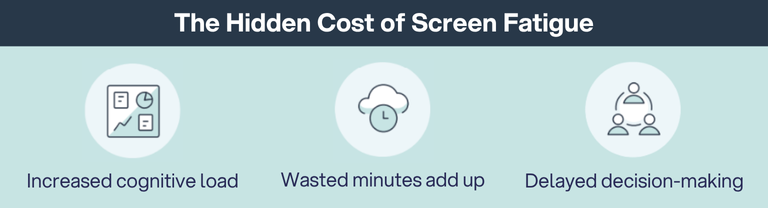
The Hidden Cost of Click Fatigue
Wasted minutes add up. Clicking through multiple screens for each patient can add 2–3 minutes per encounter. Over 20 patients, that’s an hour of lost productivity—time you could spend on patient care or catching up on documentation.
Increased cognitive load. The mental load is just as costly. Reconstructing patient information from scattered data points drains focus and contributes to midday fatigue. Rapid Review eliminates that friction by giving you a one-screen summary designed for clarity, so you see exactly what matters without hunting for it.
Delayed decision-making. When you can't quickly access complete information, clinical decisions take longer and feel less confident. You second-guess yourself because you're not sure if you've seen all the relevant details.
Critical Moments for Quick Access
The frustration compounds throughout your day. Before each exam, you need to review patient history, current complaints, and pre-test results to walk in prepared. During documentation, you want to double-check that you've captured everything before moving to the next patient.
At day's end, you need to sign off on unfinished encounters efficiently without re-navigating each one from scratch.
Each of these moments represents time lost to clicking and scrolling when you could be providing care or going home on time.
We have the solution: Rapid Review, the new AI summary tool available to all RevolutionEHR users.
What Is Rapid Review?
Rapid Review is RevolutionEHR’s one-screen EHR encounter summary tool that gives you instant access to the big picture. Launch it from six strategic locations in your workflow and see current and historical encounter summaries without screen-hopping. The modal stays on top of your current view, so you never lose your place.
The interface is simple and intuitive. One-click access launches a modal overlay from the homepage schedule pod, appointment details pane, Today's Patients, within the encounter itself, Exam History, or Schedule Reports. No hunting through menus or remembering complicated navigation paths.
Information is grouped into three organized tabs: History/Pre-Tests, Exam Recap, and Assessment and Plan. Each tab focuses on a specific aspect of the patient encounter—everything you need, nothing you don't. When you're done reviewing, close the modal, and you're right back where you started with zero navigation required.
6 Strategic Access Points Throughout Your Workflow
Rapid Review is accessible from wherever you are in the software. You don't have to interrupt your workflow to hunt for patient information—it's available at six key locations where you naturally need it:
- Homepage Schedule Pod. Launch during morning prep to review your entire day's appointments and identify patients who need extra time or special equipment.
- Appointment Details Pane. Access clinical context while handling scheduling logistics or patient phone calls about appointments.
- Today's Patients. Review encounter status and patient history while managing your real-time queue without losing your place.
- Within the Encounter. Verify completeness mid-exam and review past diagnoses while documenting current findings.
- Exam History. Access historical encounter summaries when reviewing long-term patient care patterns without opening each visit individually.
- Schedule Reports. Batch review and sign off on multiple encounters at day's end from a single list view.
The flexibility means you can use Rapid Review exactly when and where you need it, without forcing your workflow to adapt to your EHR.

Real-World Time Savings: When Rapid Review Makes the Biggest Impact
Time saved is far more than a number. It's more face time with patients, less stress at the end of the day, and better clinical decision-making. The math is straightforward: Cutting encounter review time from 2-3 minutes down to 30-60 seconds adds up quickly across your daily schedule.
- Cut morning prep from ~40–60 minutes to 10–20 minutes
- Reduce end-of-day sign-off from 30–45 minutes to 10–15 minutes
- Reclaim 30–60 minutes per provider, per day
Morning Preparation
Instead of clicking through each patient's full chart at 2-3 minutes per patient, scan Rapid Review summaries in 30-60 seconds each. For a schedule of 20 patients, you've cut morning prep from 40-60 minutes down to 10-20 minutes. You'll identify complex cases, note patients who need extra attention, and mentally prepare for your day—all before your first appointment arrives.
Between-Patient Transitions
Review the next patient's encounter summary while finishing documentation on the current patient. You're prepping and documenting simultaneously instead of sequentially, which means smoother transitions and no more walking into exam rooms without context. Enter each room with confidence because you've already reviewed the patient's history and reason for visit.
End-of-Day Documentation
If you need to sign off on 10 encounters at day's end, you're looking at 10-15 minutes instead of 30-45 minutes. You'll quickly spot incomplete tests or missing diagnoses before finalizing documentation, fixing problems now instead of dealing with billing rejections or compliance issues later.
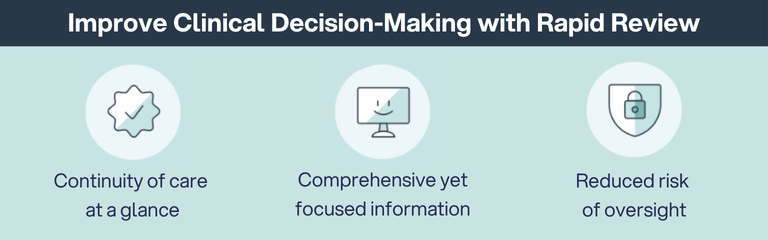
How Rapid Review Improves Clinical Decision-Making
Speed matters, but accuracy matters more. Rapid Review gives you complete clinical context in seconds, helping you make better decisions without sacrificing thoroughness.
Continuity of Care at a Glance
When you can instantly see past diagnoses and treatments without interrupting your workflow, you make better clinical decisions. You'll know if this is the patient's first mention of dry eye symptoms or their fifth visit for the same complaint.
You can identify recurring issues or treatment responses across multiple visits in one view—noticing that pressure has been creeping up over the past year, or that symptoms always worsen in spring.
Most importantly, you can modify care plans based on complete historical data because you can see what's been tried and what worked.
Comprehensive Yet Focused Information
Rapid Review shows you signal, not noise. You see only completed tests and active diagnoses, no empty fields or outdated information cluttering your view. Information is grouped the way you actually think: history, findings, and plan. You get the big picture without losing critical details, and you don't have to mentally rearrange data to make clinical sense of it.
Reduced Risk of Oversight
The quick visual scan helps you catch problems before they become bigger issues:
- Completeness checks. Verify that all required tests have been performed and documented—catch a missed IOP reading before the patient leaves instead of calling them back tomorrow.
- Treatment plan verification. Confirm that diagnoses have associated care plans before finalizing the encounter—never again submit an encounter where you documented glaucoma suspect but forgot to add the monitoring protocol.
- Billing accuracy. Ensure that performed services are properly documented for accurate claims submission—avoid leaving money on the table because you documented the test but forgot to add it to the service list.
Review Smarter, Not Harder
EHR efficiency shouldn't mean cutting corners on clinical thoroughness. Rapid Review proves you can have both: complete encounter summaries in seconds, accessible from anywhere in your workflow.
Stop clicking through screens to piece together patient information. Stop spending the last hour of your day navigating through unfinished encounters. Stop walking into exam rooms without the full clinical picture.
Rapid Review gives you instant access to everything you need: reason for visit, past diagnoses, pre-tests, exam findings, and treatment plans—all on one screen, available from six strategic locations in RevolutionEHR.
You became an optometrist to care for patients, not to fight with software. Rapid Review gets you back to what matters: eyes, not screens. It’s an encounter summary solution built specifically to reduce EHR clicks for busy optometry practices.
See Rapid Review in Action
Ready to see how much time you can save? Rapid Review is available now in RevolutionEHR. If you're not using RevolutionEHR yet, schedule a demo to see Rapid Review and other time-saving features in action.
Schedule a RevolutionEHR demo today and discover how Rapid Review and other innovative features can transform your practice workflow.



Frequently Asked Questions
How do I access patient history quickly in the EHR?
Launch Rapid Review from any of six locations in RevolutionEHR: the homepage schedule pod, appointment details pane, Today’s Patients, within the encounter, Exam History, or Schedule Reports. Click the Rapid Review icon to see a complete encounter summary organized into three tabs: History/Pre-Tests, Exam Recap, and Assessment and Plan.
Can I review multiple patient records at once in RevolutionEHR?
Yes. Go to Reports > Schedule > Encounters to view your entire day’s appointments. Click the Rapid Review icon for any patient on the list to view their encounter summary without opening the full record. This lets you review and sign off on multiple encounters in sequence without losing your place.
How can I reduce time spent on EHR documentation?
Rapid Review shortens documentation time by giving you instant access to completed tests, authorized prescriptions, documented diagnoses, and related care plans. Instead of navigating the full encounter to verify completeness, you can review everything on one screen. Reducing encounter review time from 2–3 minutes to 30–60 seconds helps practices seeing 20–30 patients reclaim 30–60 minutes per day.
How do I prepare for patient appointments more efficiently?
Use Rapid Review from your homepage schedule pod at the start of the day. Click through each scheduled patient to review their last visit, current complaints, and any special needs. Reviewing 20 appointments at about 45 seconds each takes around 15 minutes, compared to roughly 40 minutes with traditional navigation. This helps you identify patients who need extra time, special equipment, or closer attention.
Can I review patient history without leaving my current screen?
Yes. Rapid Review opens as a modal overlay on top of your current screen. Review the encounter information, close the modal, and you return exactly where you were. This prevents losing your place in scheduling, documentation, or reporting.
How do I check if an encounter is complete before signing off?
Open Rapid Review and scan the three tabs. Check the History/Pre-Tests tab to confirm pre-testing was completed. Review the Exam Recap tab to verify required tests and prescription authorizations. Check the Assessment and Plan tab to ensure diagnoses have care plans and associated services. Missing information stands out immediately.
What is the best EHR feature for reducing click fatigue?
Rapid Review is designed to reduce click fatigue by consolidating information that normally requires many separate clicks into a single-screen view. You can access full encounter summaries from six points in your workflow, and the modal layout keeps you from getting lost in layers of screens.
How can I view historical patient encounters quickly?
From Patient File > Exam History > Encounter History, you can see a list of past encounters. Click the Rapid Review icon next to any visit to instantly view that encounter’s summary. This makes it easy to compare current findings with past visits and track progression of conditions or monitor treatment effectiveness.
FAQs
How do I access patient history quickly in the EHR?
Can I review multiple patient records at once in RevolutionEHR?
How can I reduce time spent on EHR documentation?
How do I prepare for patient appointments more efficiently?
Can I review patient history without leaving my current screen?

Backed by deep expertise in optometry and a commitment to the success of eye care practices, RevolutionEHR offers insights and perspectives designed to help providers streamline operations, enhance patient care, and thrive in a changing healthcare landscape.